
01 / VINTAGE COMPUTER
Type a dial command
Your terminal program sends Hayes-style AT commands over the serial port, just like it did in 1989.
ATDT COCO
RetroModem Bridge turns a Windows PC into the modem your old computer always wanted.
Type ATDT on your CoCo, Commodore, Apple II, Atari or any serial terminal and connect to
real Telnet BBSes, a built-in local BBS, door games, ANSI art and IRC chat. No phone line or modem needed.
🔌 No serial port on your PC? Grab the USB serial adapter we recommend or find the cable for your computer →
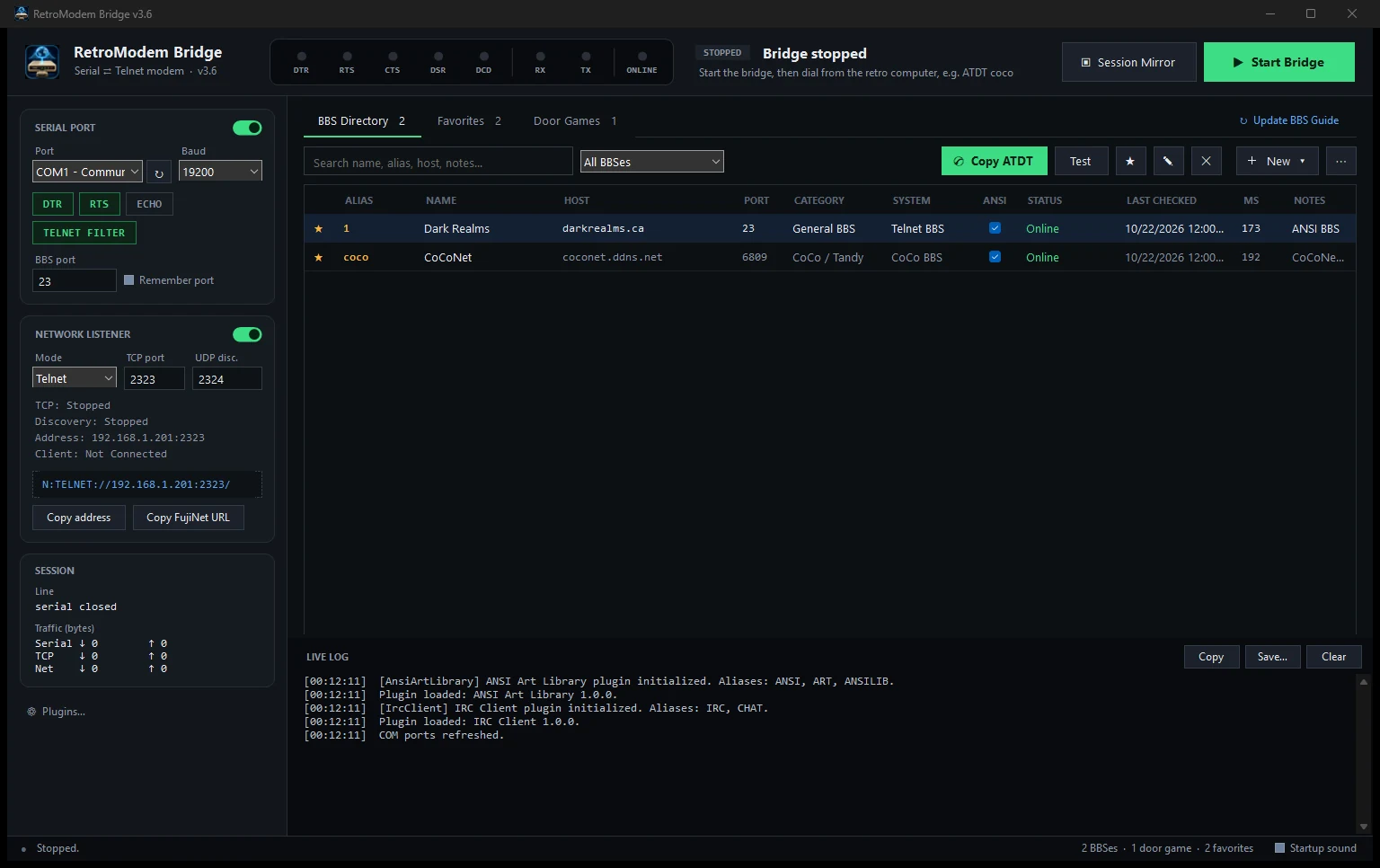
Nothing changes on the vintage side. Use the terminal program you already know. RetroModem Bridge handles the internet on the Windows side.
Your terminal program sends Hayes-style AT commands over the serial port, just like it did in 1989.
ATDT COCO
RMB listens on your COM port (or over Wi-Fi for FujiNet), looks up the alias and opens the connection.
SERIAL ⇄ TELNET
Land on a Telnet BBS, the built-in local BBS, a door game, the ANSI art library or IRC.
CONNECT 19200
Modern PCs don't have serial ports. A USB serial adapter gives RetroModem Bridge a COM port, and a null-modem cable connects it to your vintage computer.
The one part every serial setup needs. Plug it into your PC, choose its COM port in RetroModem Bridge, and you're ready to dial.
Check price on AmazonConnects two "computers" by crossing the send and receive lines. DB-9 female-to-female fits most adapters.
Find on AmazonMany vintage machines have 25-pin ports. A small adapter kit covers almost any combination.
Find on AmazonOur hardware guide lists the exact port, cable, speed and terminal software for each machine.
As an Amazon Associate I earn from qualifying purchases. Buying through these links supports RetroModem Bridge at no extra cost to you.
A plugin system, two new plugins you can dial from your vintage computer, and a completely redesigned Windows app.
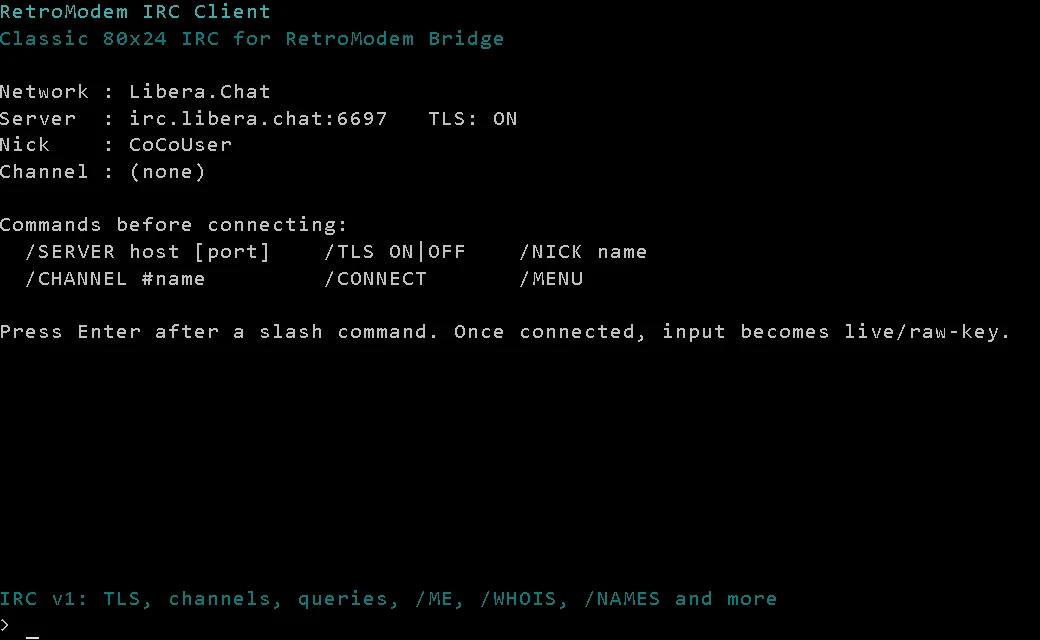
A full-screen 80×24 IRC client with TLS, channels, private queries, /ME, /WHOIS and unread markers. Libera.Chat is set up out of the box.
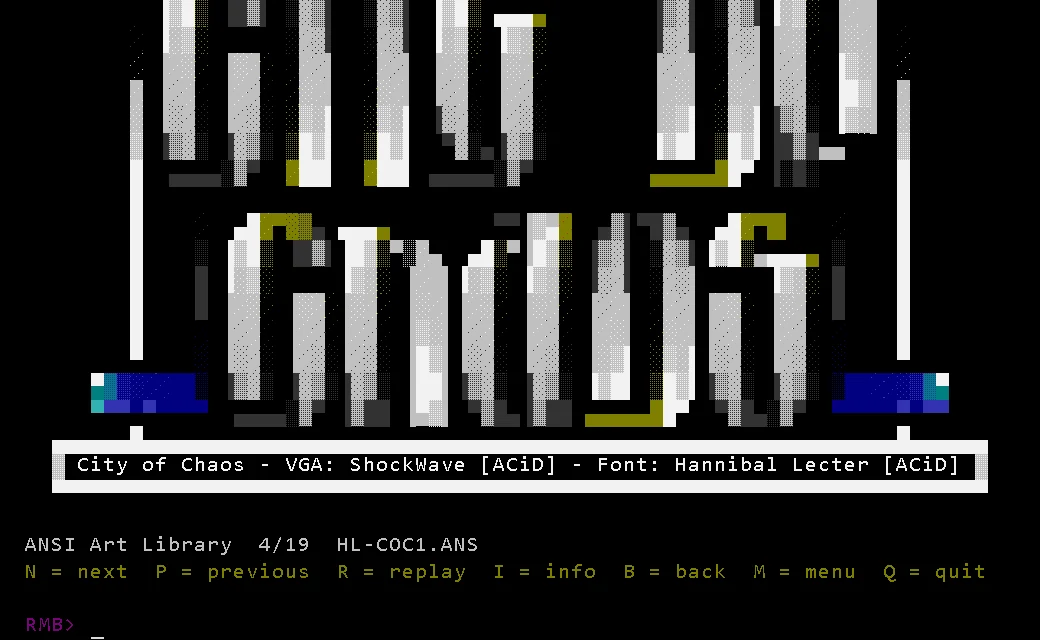
Browse decades of scene artpacks from the textfiles.com archive, plus your own local collection. Pause, replay and page through the art on real hardware.
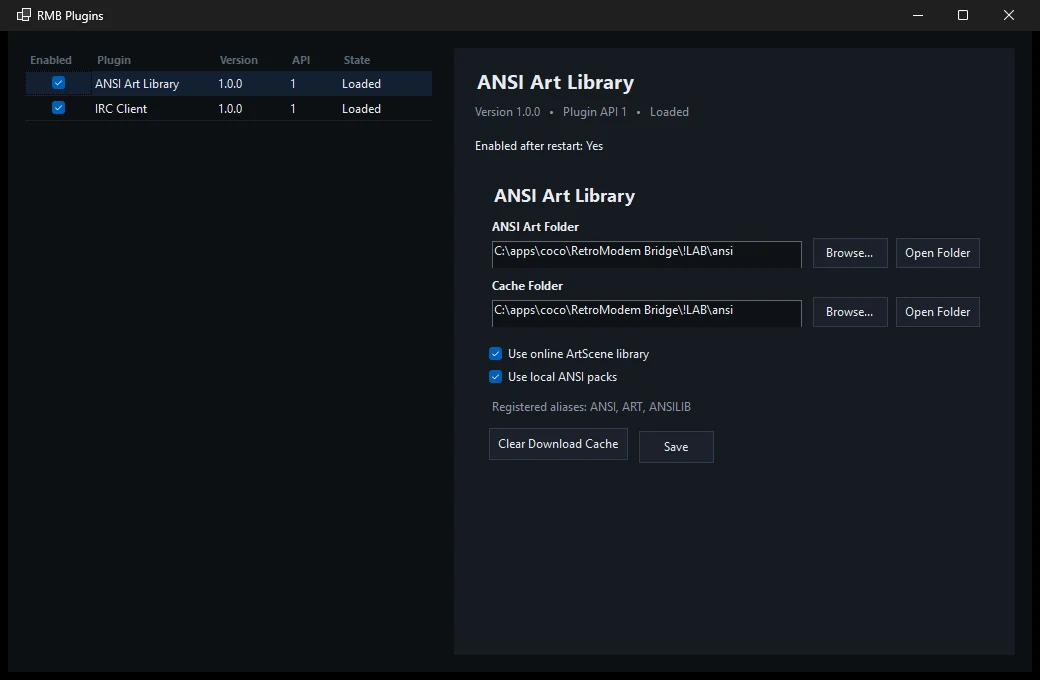
New services drop into a Plugins folder and show up in the local BBS menu with their own dial aliases. Enable, disable and configure them in the Plugin Manager.
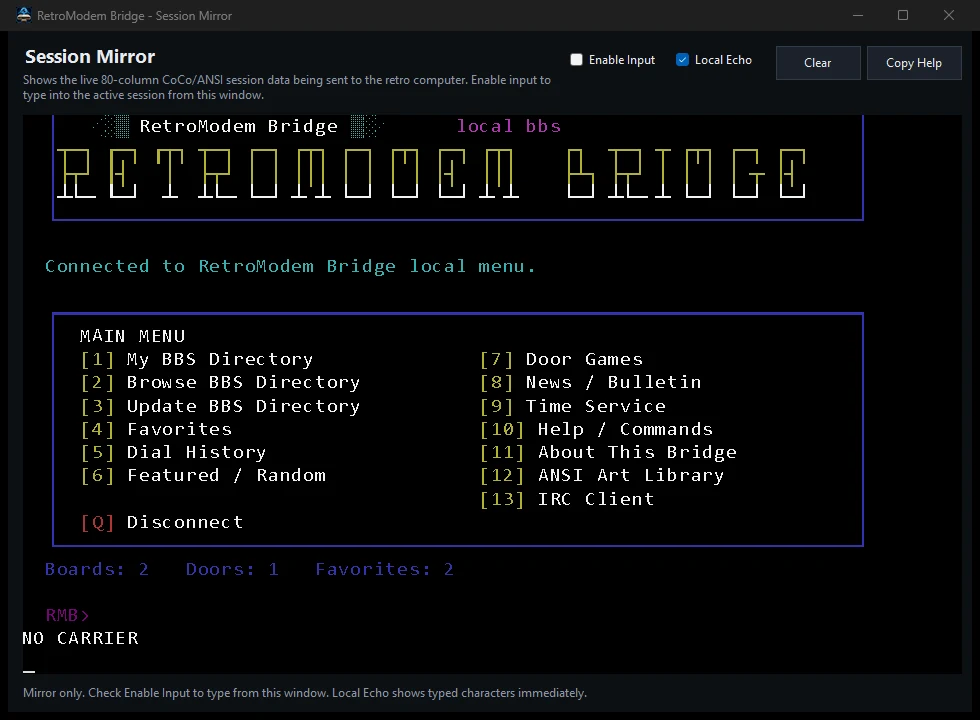
Live modem lights, a call status, a Favorites tab and a one-click Hang up that drops the call and sends NO CARRIER, just like a real modem.
Dial ATDT MENU and your vintage computer gets its own ANSI home base. Find boards, dial them, play doors, look at art and chat, all without touching the Windows keyboard.
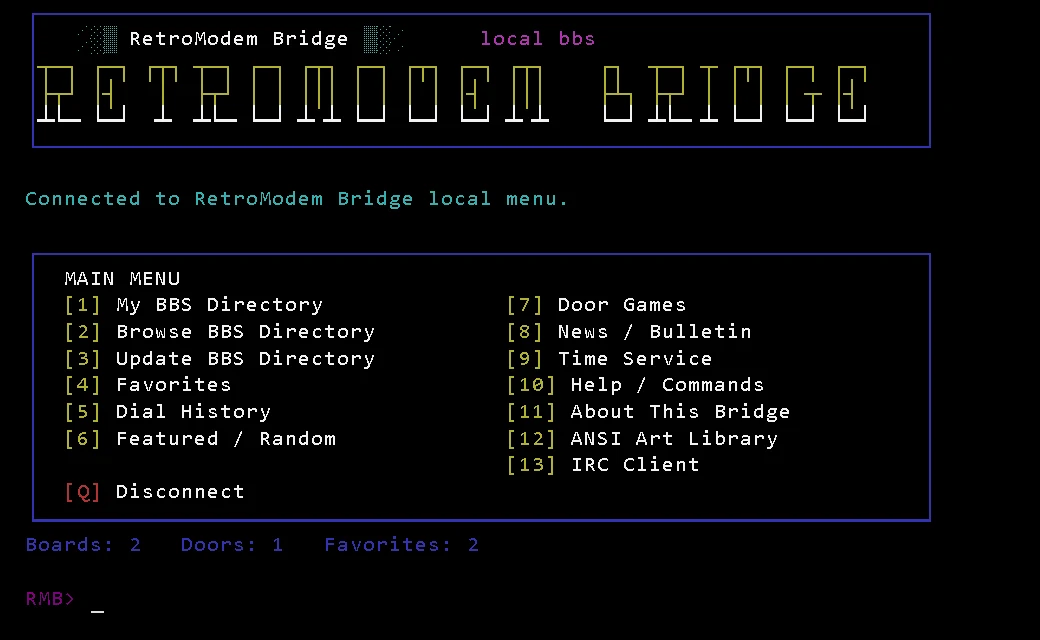
These are real, unedited screens from RetroModem Bridge v3.6. The frame is only decoration.
Save a board with a short alias and dial it like it's 1992. RetroModem Bridge handles Telnet negotiation, keeps the connection clean for your terminal, and tracks which boards are up.
ATDT DARK) or by host and port (ATDT bbs.example.com:23)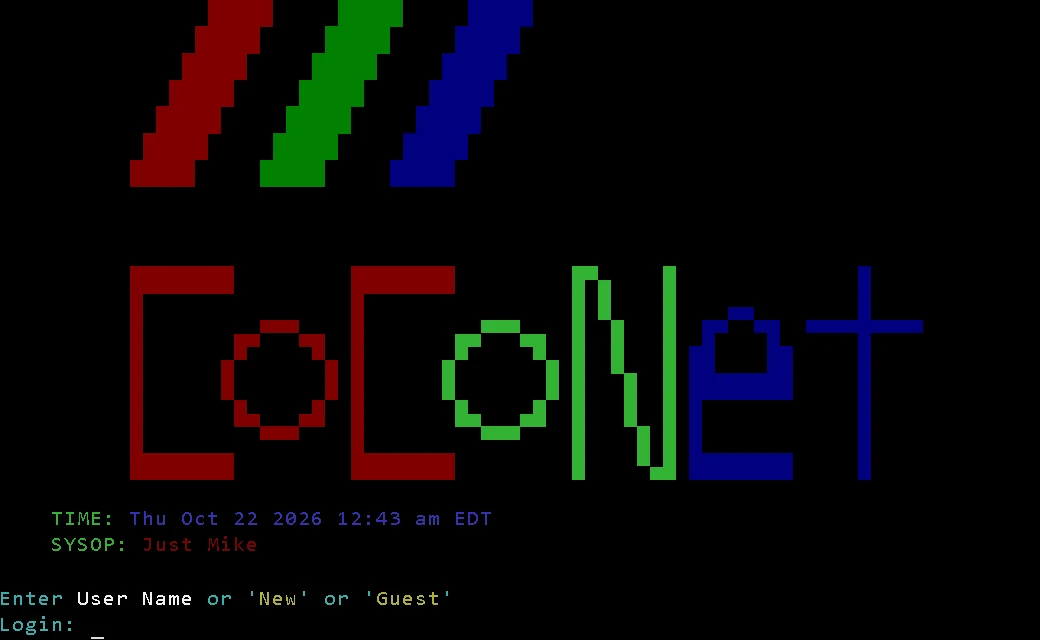
RetroModem Bridge is developed against real vintage machines on a real serial cable, not just emulators. The 80-column local BBS, the ANSI renderer and the door game paging are all tuned for actual CRTs.
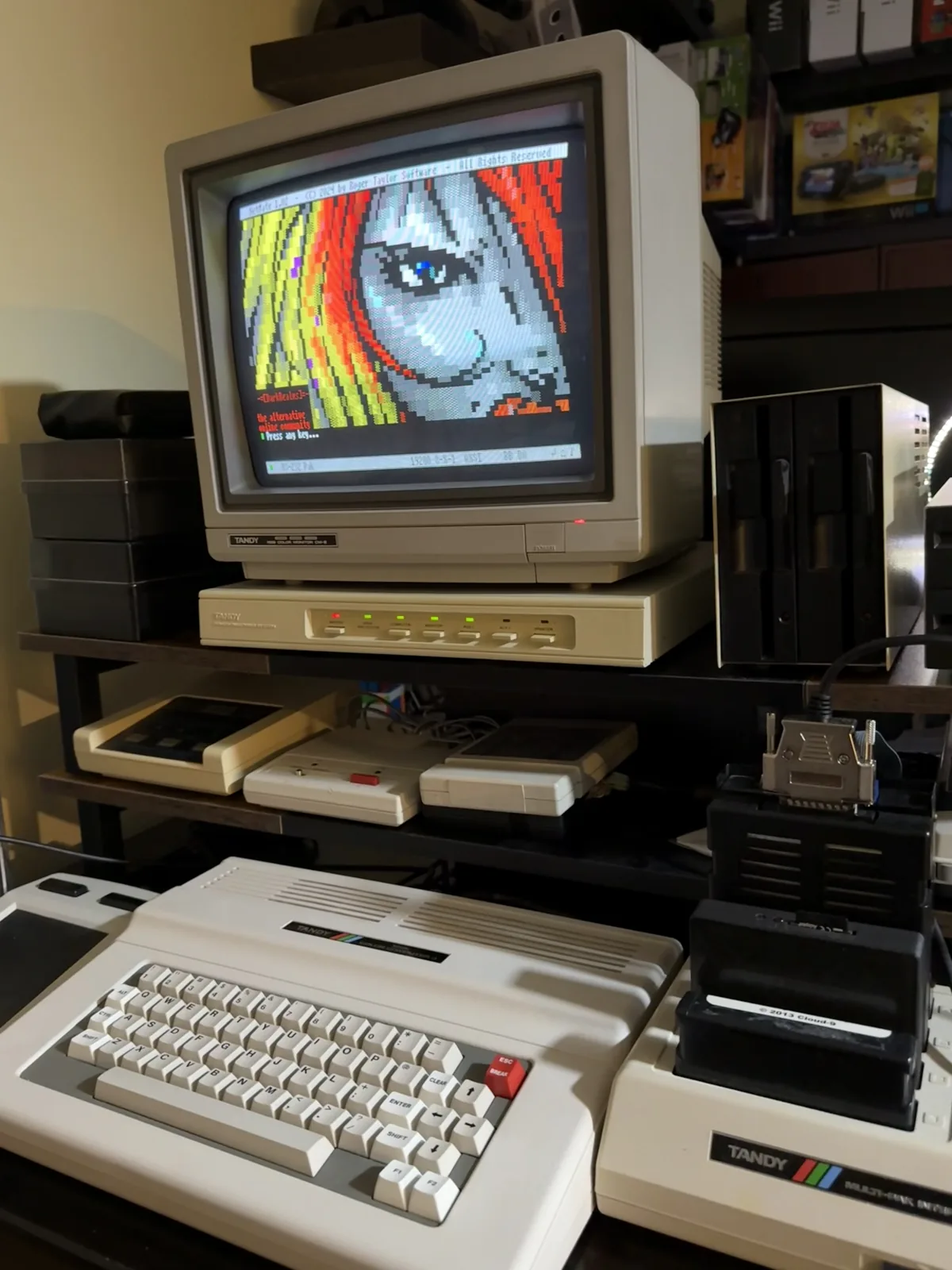
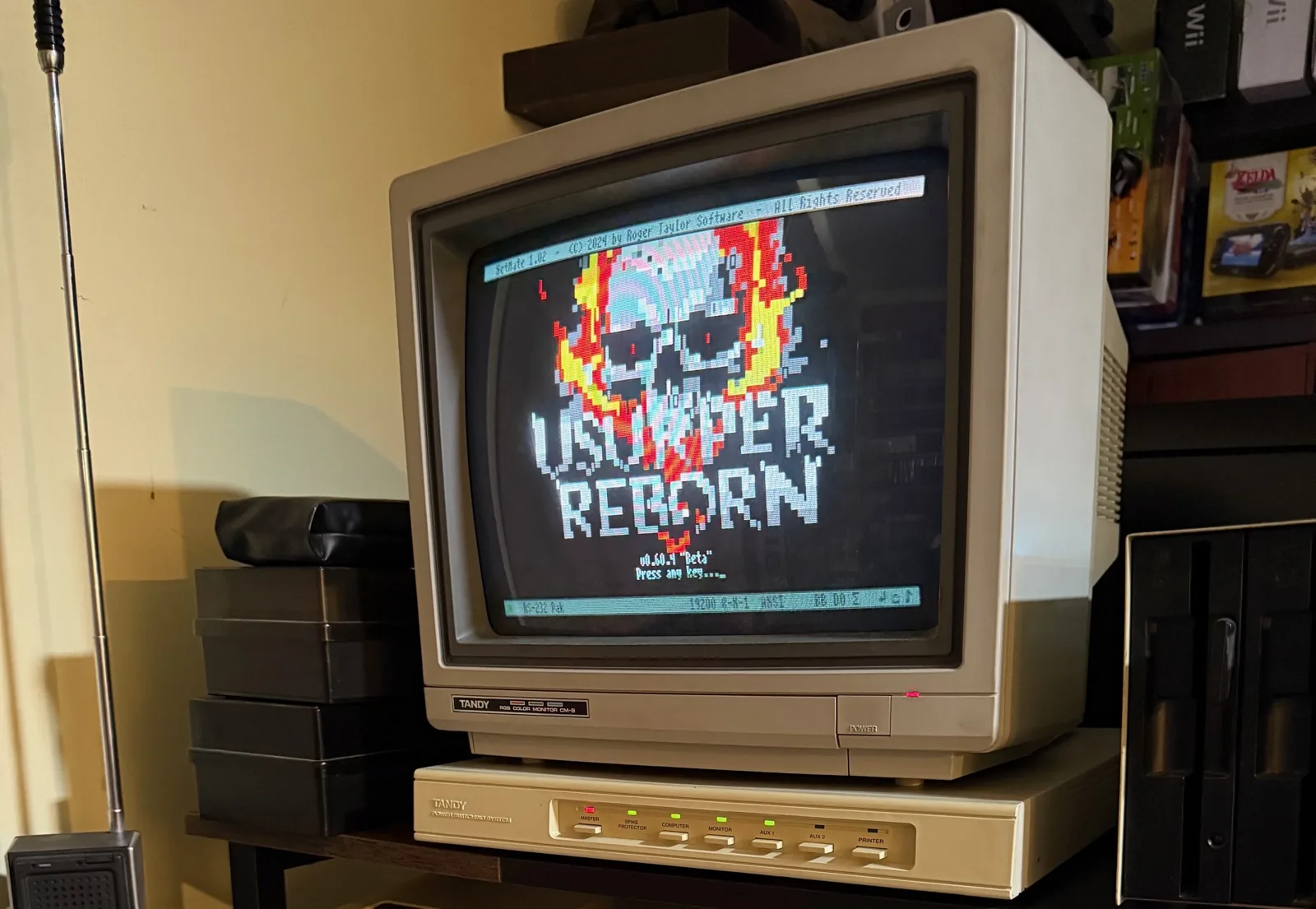
ATDT USURPER.RetroModem Bridge started as a TCPSer-style bridge. Today it's a whole connection center for your vintage computer.
The core job, done properly.
AT, ATI, AT&V, ATDT, ATDL redial and ATH hang-uphost:portNo serial cable? Connect over your network.
N:TELNET://your-pc:2323/ URLUse everything from the vintage keyboard.
ATDT MENU opens a 13-option, 80-column ANSI menuATDT UPDATEFind boards, keep the good ones.
ATDT command for any entryATDT IRC or ATDT CHAT
/JOIN, /MSG, /ME, /WHOIS, /NAMES, /TOPIC, /1–/9 window switchingATDT ANSI, ART or ANSILIB
.ANS files or artpack ZIPs to a local folderDial a game like it's on a BBS.
ATDT USURPERY/N and "press any key" promptsA control panel you'll actually like.
Every screenshot is from the v3.6 build. Click any one to see it full size.
NO CARRIER.You only really need ATDT MENU. The direct commands are shortcuts for when you know where you're going.
ATIs the modem there? Replies OK.ATIBridge identification and features.AT&VCurrent settings and directory counts.ATDT ALIASDial a saved BBS or door by alias.ATDT HOST:PORTDial any Telnet host directly.ATDL · ATHRedial the last number · hang up.ATDT MENUThe local BBS main menu.ATDT BBSLISTYour saved BBS directory.ATDT FAVORITESYour favorite boards.ATDT GUIDE · IMPORTBrowse the Telnet BBS Guide.ATDT UPDATEDownload the latest guide.ATDT DOORSLocal door games.ATDT FEATURED · RANDOMFeatured boards or a random pick.ATDT ONLINEBoards that passed a connection test.ATDT NEWS · TIME · HELPBulletin, clock and command help.ATDT ANSI · ART · ANSILIBANSI Art Library.ATDT IRC · CHATIRC client./SERVER /NICK /CONNECTSet up IRC, then connect.Connect the cable, choose a port, start the bridge, dial.
Extract RetroModem Bridge to any writable folder and run it. There's no installer.
Choose the COM port and the baud rate your vintage terminal uses, or load a saved profile.
Click Start Bridge. The modem lights come on when your computer talks to it.
On the vintage computer, type ATDT MENU. Welcome home.
Grab the adapter we recommend, or look up your computer in the hardware guide.
No. RetroModem Bridge is the modem. Your vintage computer talks to it over a serial cable (or the network, for FujiNet), and the Windows PC uses its normal internet connection.
Usually a USB serial adapter for the PC plus a null-modem cable for your vintage computer. Some machines, like the Commodore 64, also need an interface. The hardware guide lists the parts for each computer.
Yes. RetroModem Bridge is open source under the MIT license, and the full source code is on GitHub.
Anything with a serial port and a terminal program that can send AT commands: Tandy CoCo and TRS-80, Commodore, Apple II, Atari, Amiga, DOS and CP/M machines, vintage laptops and more. FujiNet-equipped machines can connect over the network listener.
No. The menu, your directory, favorites, help, time, news, door games and local ANSI art all work offline. Telnet BBSes, IRC, online artpacks and guide updates need an internet connection.
The release build is a self-contained Windows x64 app, so you don't need to install anything else.
Only if you turn on the network listener, which accepts connections from FujiNet devices on your local network. The serial bridge on its own doesn't need any incoming connections.
Yes. Put .ANS files or artpack ZIPs in the local ANSI art folder (it defaults to Documents\RetroModemBridge\ANSI Art) and they show up under LOCAL in the ANSI Art Library. You can change the folder in the Plugin Manager.
Log off the BBS as usual, press Q in the local menus, or click Hang up in the Windows app at any time. Your computer gets a proper NO CARRIER.
Download RetroModem Bridge, plug in the serial cable and type ATDT MENU. The BBS scene is still out there.